
What if you have a website that’s already getting a regular amount of visitors each month, but it needs a full redesign? Will redesigning it, wreck your current traffic? It absolutely can if you don’t have a migration process in place. This is the exact situation I was in, earlier this year. I had a client with a website that was getting traffic that was generating business for him. Glow Up Web Design was currently in the process of redesigning it. It was critical that along with the redesign, we followed the proper SEO migration protocols to mitigate any traffic loss. The website already had a steady number of leads coming from people who found his business through various search engines.
Bringing on Charles Taylor, who has over 20 years of experience in SEO, unlocked the exact process we needed to win the day for this client. No matter what project we are working on, our main goal is always to improve the lives and businesses of our clients. Charles helped us continue to fulfill this with flying colors. If we hadn’t followed his SEO migration process, this client’s business could have suffered, massively. So what’s the big deal? Why does this sound so dramatic? Before I show the graphs and data… It’s important to understand why this happens.
Here’s the Problem
Google treats each URL like an entry in its massive database. Every URL carries years of search equity — links, signals, rankings. When you change those URLs without a solid SEO strategy, Google sees them as brand new. And brand new pages don’t come with rankings.
Google’s own experts confirm the risk:
- John Mueller, Google’s Senior Webmaster Trends Analyst, has said it’s nearly impossible to launch a new site without losing search traffic.
- Gary Illyes, Analyst on Google Search Team, warned that redesigns can cause rankings to “go nuts.”
Plus, studies show it can take an average of 523 days for a new site to recover its previous traffic levels — and some sites never recover, even after 1,000 days.
Source: https://www.searchenginejournal.com/how-long-should-an-seo-migration-take/531219/
Let’s put it another way:
Charles Taylor, a seasoned SEO expert, compares changing your URL structure to changing your phone number. If you don’t tell people you’ve switched, no one knows how to reach you. Even if you set up call forwarding (like 301 redirects), people still won’t have your new number unless you’ve made it visible and promoted it.
And Google?
Google only understands what it can crawl. If your old URLs disappear and your new structure isn’t clearly communicated, Google might not know where your content went — or that your new site is even live.
Here is an example of a website that changed CMS systems but never considered SEO:
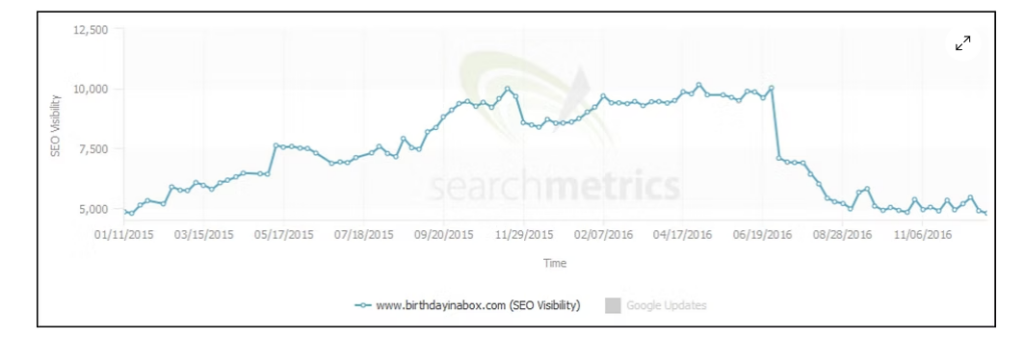
But the danger does not lay in just big changes like changing CMS or Domains. During a simple redesign this site did not involve an SEO and lost over 75% of their traffic – all because someone stopped using the “www.” in all internal links.
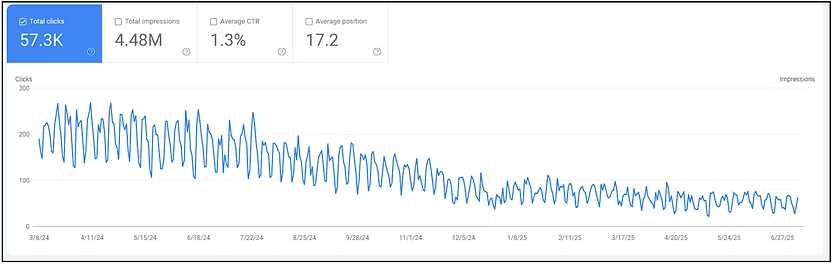
But it doesn’t have to be this way.
At this crossroads, you have a choice: gamble with your traffic, or plan your migration the smart way — with an experienced SEO guide. Remember, friends don’t let friends redesign websites without SEO help.
Just for fun…
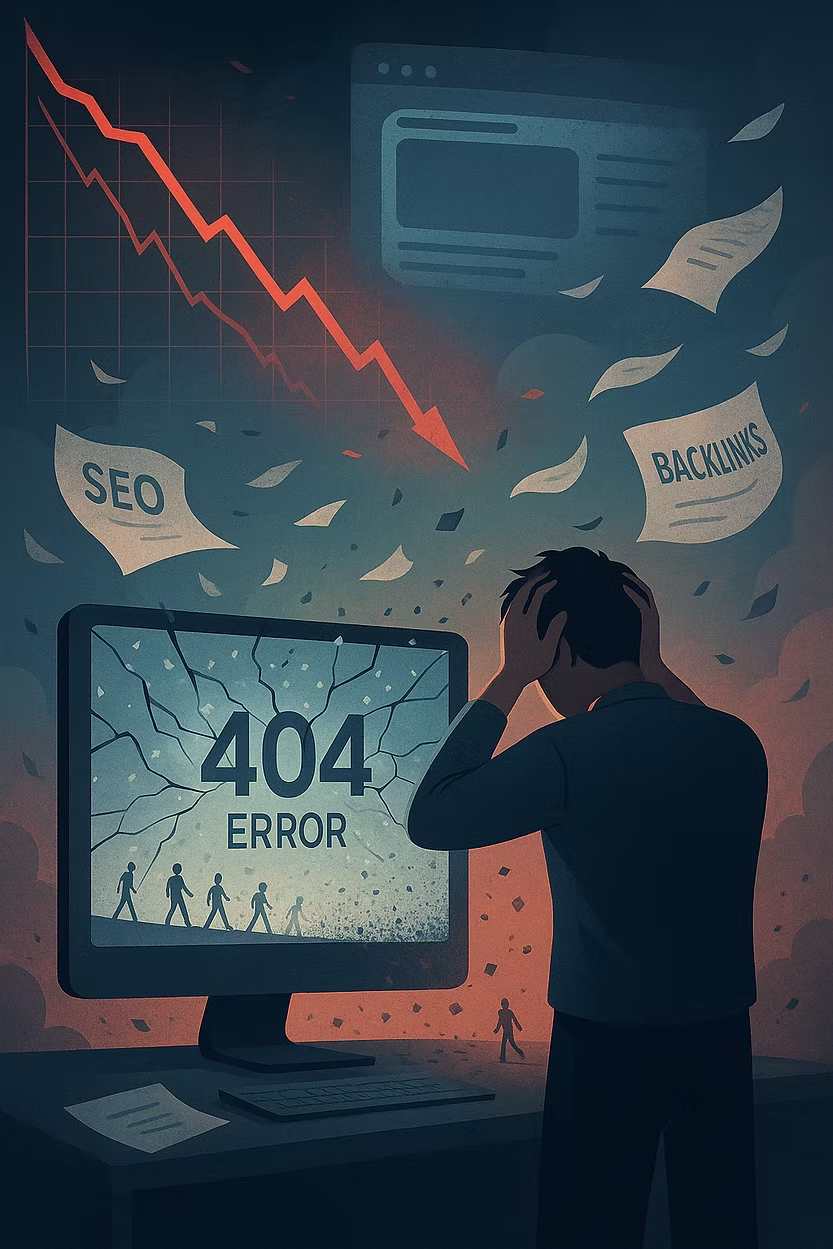
I wanted to see how Chat GPT would visually represent a failed migration. So I asked it this:
and here what it gave me…